
Tag Archives: ur23

UR27 and UR23 Windows guide with Wiim Ultra as source

First thing is to plug the UR27 USB output into your PC/Laptop and make the optical connection to your source.  Check that the indicator light comes on when the PC/Laptop is powered up. If your source and your PC are far apart, keep the optical link as short as possible and use a good quality USB extension.
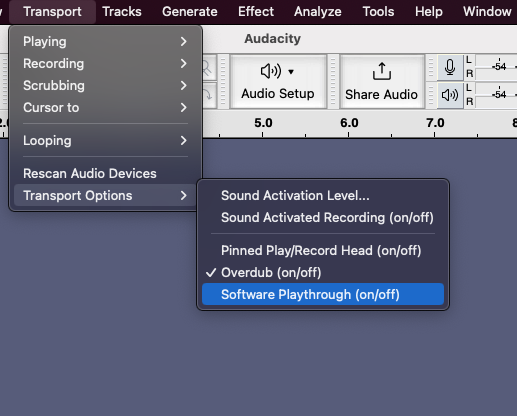
Record SPDIF optical audio with UR23/S2 Digi optical to USB converters

UR23 is an optical to USB converter (32kHz-96kHz) while the S2 Digi does both optical to USB and USB to optical (44.1kHz-192kHz). Both units shows up as audio devices in Mac, Windows and can be selected as the input/output device in audio programs. Here is a guide on how to record and/or play through optical [read more]