
Articles, USB Isolators
Fix USB Audio Noise, Hum and Ground Loops
Fix USB Audio Noise, Hum and Ground Loops
Hum, buzz, whining or computer noise from your USB DAC, audio interface, USB microphone or synth?
A USB isolator breaks the electrical ground connection between your computer and USB audio device. USB data still passes through, but ground-loop noise and dirty USB ground noise are blocked.
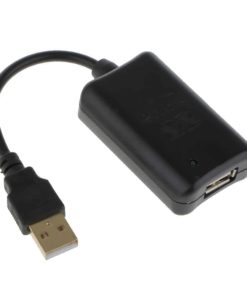
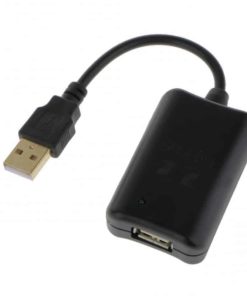
For most modern USB audio devices, choose the Hifime High-Speed USB Isolator v2.
USB Isolators
Is this the problem you have?
A USB isolator is often the right solution if:
- the noise appears when USB is connected
- the noise changes when the computer is working
- you hear mouse, CPU, GPU or charger noise
- the noise disappears when a laptop runs on battery
- the problem is with a USB DAC, audio interface, USB microphone, synth or effects unit
This is not a software filter or “audio tweak.” It is electrical isolation of the USB connection.
Which USB isolator should I buy?
Hifime High-Speed USB Isolator v2
Choose this for modern USB DACs, audio interfaces, USB sound cards, 192/384 kHz DACs, DSD DACs and many multichannel USB audio devices.
It supports Low Speed, Full Speed and Hi-Speed USB, so it works with many devices that Full Speed isolators cannot support.
Not sure which one you need? Choose this one.
USB Isolators
Lower-cost option
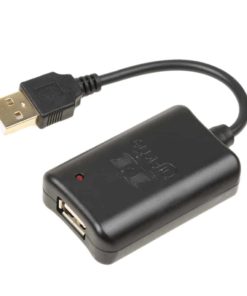
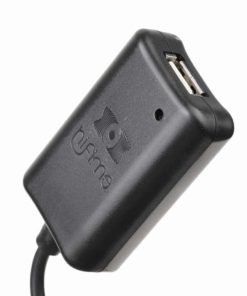
Hifime Full Speed USB Isolator
Choose this only for older steroe USB audio devices that use USB Full Speed and do not need much USB power.
Usually suitable for DACs that supports max 24/96.
Not recommended for most newer DACs, 192/384 kHz DACs, DSD DACs or multichannel audio interfaces.
USB Isolators
Professional / USB 3.0 option
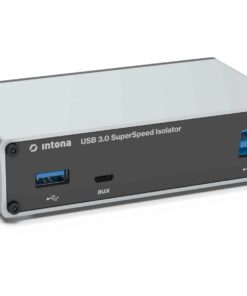
Intona USB Isolators
Choose Intona 7055-C if you need USB 3.0 / SuperSpeed support, higher isolation ratings, stronger ESD protection, or an industrial/laboratory-grade USB isolator.

USB Isolators
When USB isolation may not help
A USB isolator only isolates the USB connection. It may not solve noise caused by bad analog cables, amplifier noise, microphone gain noise, defective equipment, RF interference, HDMI ground loops or noise entering through another connection.
If the noise clearly changes when the USB cable is connected or disconnected, USB isolation is usually a good place to start.
Still not sure?
Feel free to contact us with a description of your problem and we can take a look at what is required for your particular setup and if USB isolation is likely to solve the issue.
Want more technical details? Read our full USB isolator comparison guide.
